
Sprint Planning Prioritization
Stop debating sprint priorities in standup. Get your team's input asynchronously and start the sprint aligned.
The Sprint Planning Problem
Sprint planning meetings drag on as the team argues about what to pull in. The PM has one set of priorities, the tech lead has another, and the senior engineer who knows about the lurking production bug has a third. An hour later, the team has a sprint plan that nobody feels great about.
The problem is not that the team disagrees — disagreement is healthy. The problem is that sprint planning meetings are a terrible format for resolving disagreements. Group discussions favor the most vocal participants and produce anchoring bias: once someone states a priority, others are reluctant to disagree publicly.
ForceRank collects everyone's priorities before the meeting, so you walk in knowing where the team aligns and where they don't. Instead of debating every story, you focus the conversation on the two or three items where opinions diverge. Sprint planning drops from 60 minutes to 15.
How ForceRank Streamlines Sprint Planning
Add Sprint Candidates
List the stories and tasks competing for the sprint. Pull from your backlog, include bug fixes, and add any last-minute requests.
Team Ranks Before the Meeting
Share the link with the engineering team. Each person ranks the items in under 5 minutes. Do this the day before sprint planning.
Plan Around Consensus
Walk into planning with the group ranking. Discuss only the contentious items. Fill the sprint based on the agreed priority order.
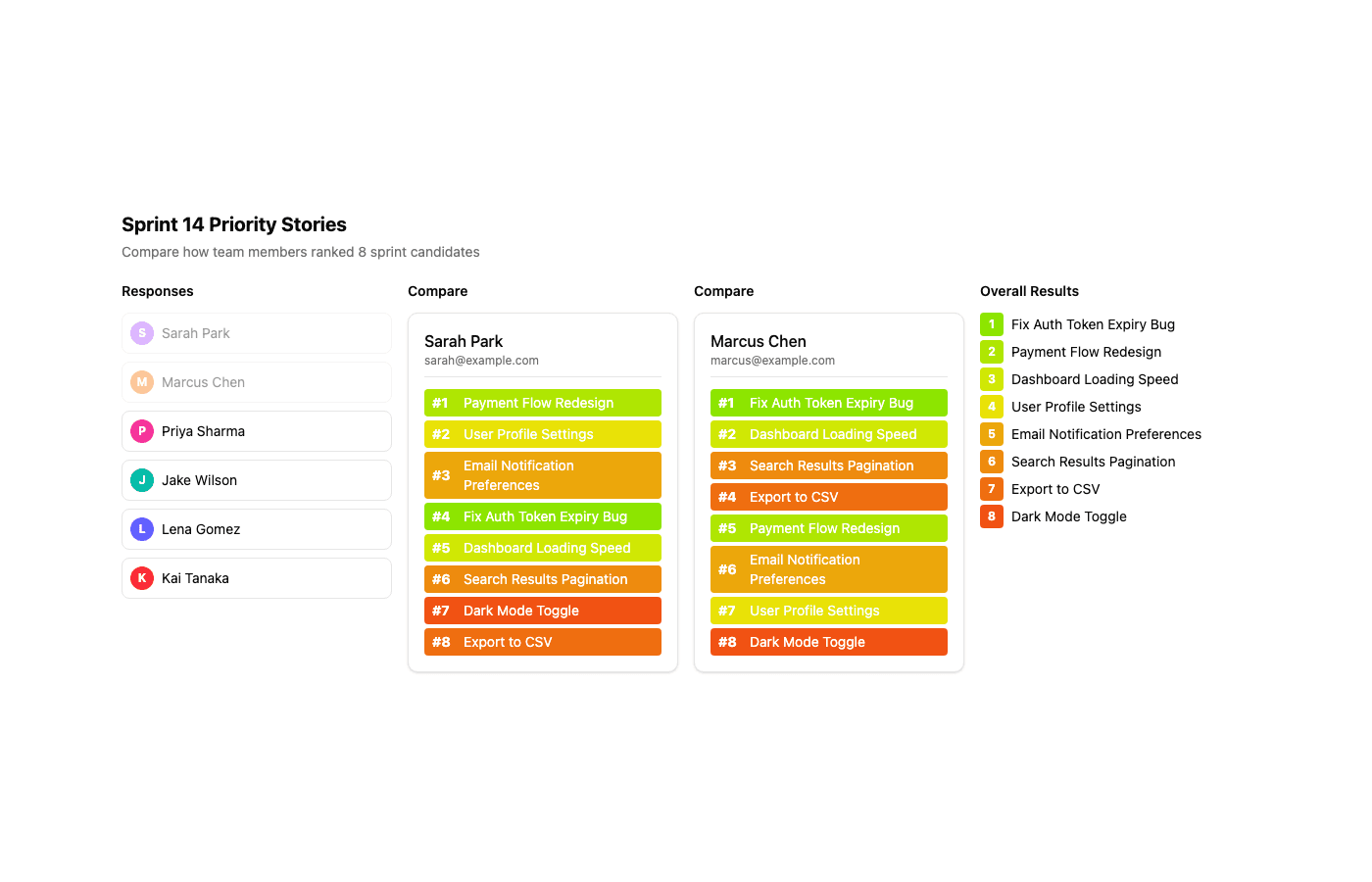
Compare How Team Members Disagree
See exactly where your PM and tech lead rank differently — so you can focus sprint planning on the contentious items.
Try It: Prioritize Sprint Stories
Drag the items below to rank them in your order of priority.
Try it yourself — Sprint 14 Priority Stories
Choices
Your Ranking
Sprint Planning FAQ
- Can I use ForceRank in agile?
- Yes. ForceRank fits naturally into agile workflows. Use it before sprint planning to collect the team's priorities asynchronously, then walk into the planning meeting with a pre-aligned priority order. This dramatically reduces the time spent debating what to pull into the sprint. Many teams run a quick ForceRank in the last 30 minutes of the previous sprint so results are ready for planning day.
- How does this fit with story points?
- ForceRank handles prioritization — which stories matter most. Story points handle estimation — how much effort each story takes. They are complementary. Use ForceRank to establish the priority order, then use story points to decide how many of those prioritized stories fit in the sprint. This separates the "what matters" conversation from the "how much fits" conversation, making both cleaner.
- Should the whole team participate?
- For sprint planning, include everyone who will be doing the work — typically the full engineering team plus the PM. This is different from quarterly planning where you might include broader stakeholders. The people building the software often have the best intuition about what will deliver the most value per sprint, and ForceRank makes sure all those perspectives are heard, not just the loudest engineer.
- How often should we rank sprint items?
- Once per sprint, during or just before sprint planning. Some teams also do a quick mid-sprint ranking if priorities shift (for example, a production incident changes what matters). Because ranking takes only a few minutes, there is minimal overhead to running it frequently.
Align Your Sprint
Create a sprint priority ranking in under a minute. Free for everyone, no credit card required.